Smart Photo Resizer for Exams
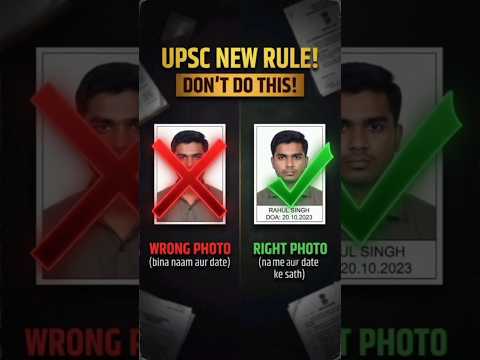
Resize, compress, and print your Name & Date on photos for SSC, UPSC, NEET, and State Government exams in seconds. 100% Free and Secure.
Photo Settings
Live Preview
🔔 Get Fast Exam Alerts & Form Hacks!


Popular Exam Presets
One-click auto-resizer tools for the most demanding government forms.
How to Resize Image for Online Exam Forms?
Filing online application forms for government jobs, banking exams, SSC, UPSC, or medical entrances like NEET can be tricky due to strict photo size guidelines. Our free online tool solves this problem instantly.
Step-by-Step Guide:
- Step 1: Click on the upload box and select your raw image.
- Step 2: Choose your target exam from the dropdown list.
- Step 3: Enter your name and select today's date if required.
- Step 4: Input the maximum allowed size (e.g., 50 KB).
- Step 5: Check the live preview and click "Download Ready Photo".
Why use this tool?
Unlike other platforms, we respect your privacy. Your photos are never uploaded to any external server. All cropping, text generation, and size compression happen locally directly inside your web browser.
Live Demo: How to use ExamPhotoMaker?
Frequently Asked Questions (FAQs)
Is my personal photo safe on this website?
Yes, 100% safe. ExamPhotoMaker does not upload your image to any cloud server. Everything happens locally inside your browser.
How do I compress my passport photo to exactly under 50KB or 20KB?
Type your required limit in the 'Max File Size' input box. Our algorithm will perfectly fit your image under that KB limit.
Does this tool work on mobile phones?
Absolutely! ExamPhotoMaker is fully optimized for smartphones.